Influencer Ad Codes and Whitelisting Explained
How to invite a partner as a collaborator, generate a Spark ads code in Tik Tok, and give Instagram Whitelisting access.
March 18, 2026
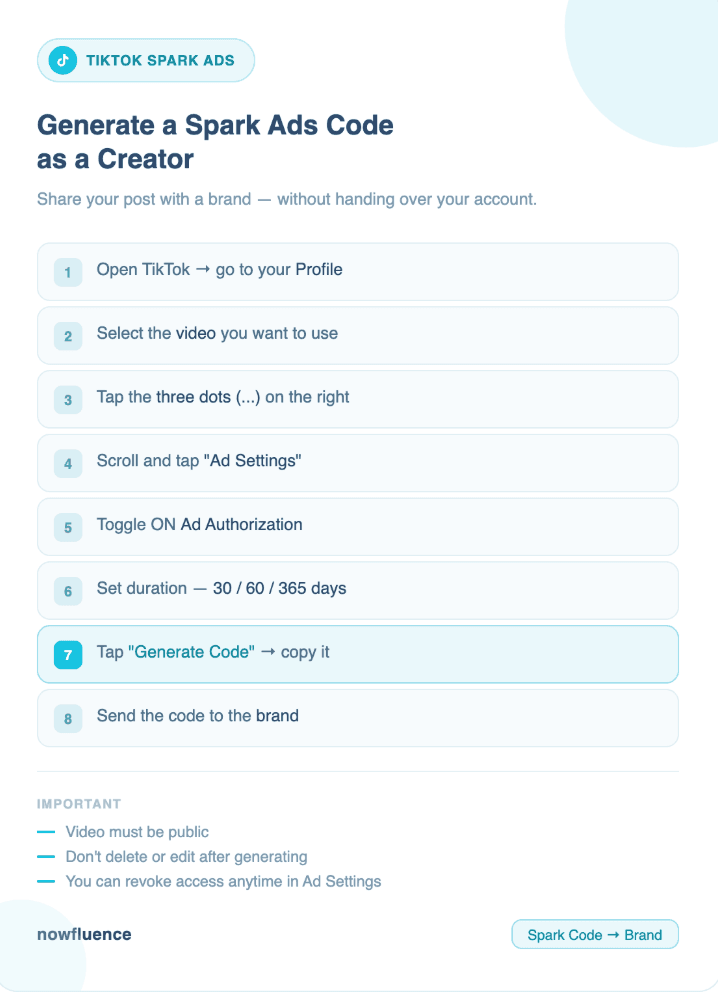
How to Generate a Spark Ads Code on TikTok as a Creator
This allows brands to run ads directly from your content while keeping your profile, engagement, and authenticity intact. Spark Ads typically outperform standard ads because they use real creator posts.
Step by step
- Open TikTok and go to your profile
- Select the video you want to use for ads
- Tap the three dots on the right side
- Scroll and tap Ad settings or Ad authorization
- Turn on Ad Authorization
- Set the authorization duration such as 30, 60, or 365 days depending on the campaign
- Tap Generate code
- Copy the Spark Ads code
- Send the code to the brand so they can run ads from your post
Important tips
- Make sure the video is public or the code will not work
- Avoid editing the caption, sound, or video after generating the code
- Keep the content live for the full campaign duration
- You can revoke access anytime in Ad Settings if needed
Why this matters
- Spark Ads let brands amplify content that is already performing well
- Creators keep social proof including views, likes, and comments
- This format often leads to higher conversion rates compared to traditional ads
How to Invite a Brand to Collaborate on Instagram as a Creator
This feature helps both you and the brand share reach, engagement, and visibility from a single post.
For feed posts and reels
- Create your post or Reel as usual
- On the final screen before posting
- Tap Tag people
- Select Invite collaborator
- Search and select the brand account
- Publish the post
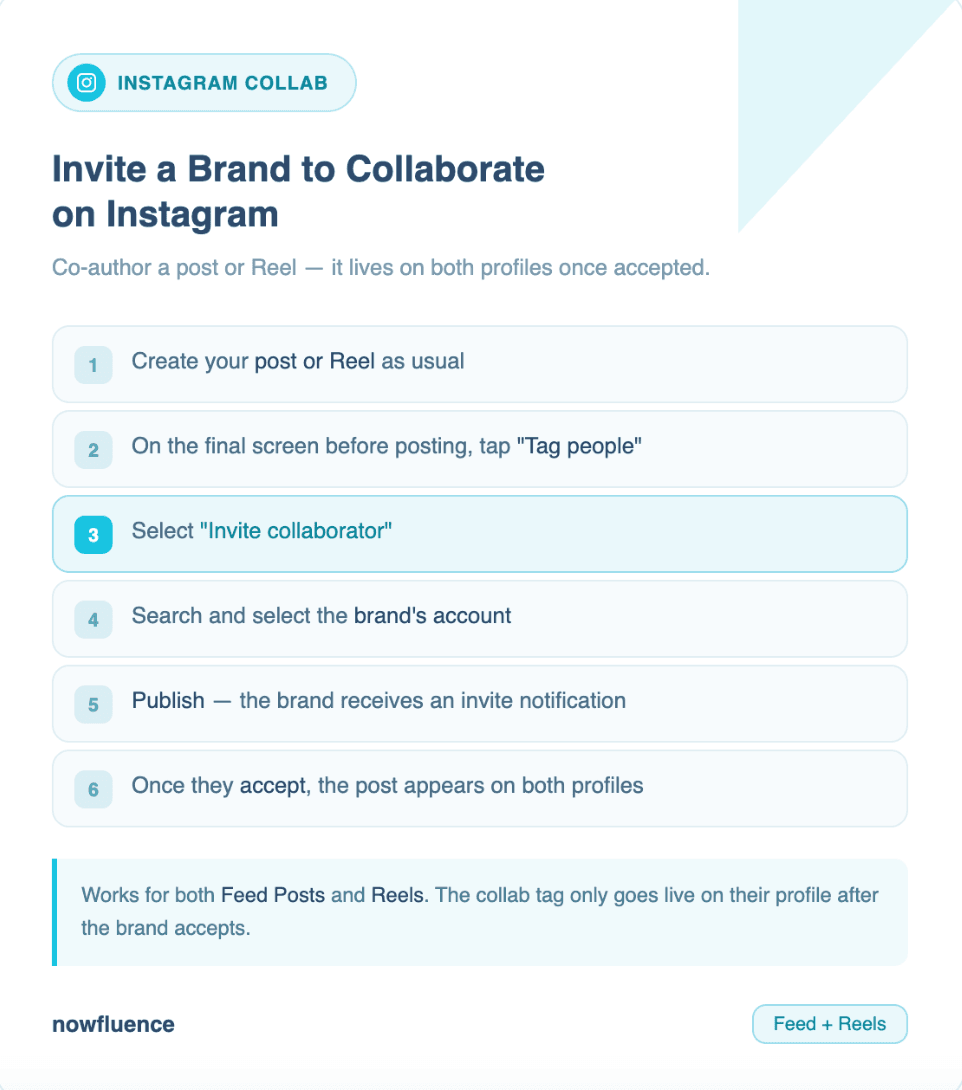
The brand will receive an invite. Once they accept, the post appears on both profiles and shares engagement
Best practices
- Align on posting time to maximize reach
- Make sure both audiences are relevant to the campaign
- Use clear captions that mention the partnership naturally
Why this matters
- Collaborative posts can increase reach significantly by combining audiences
- Engagement signals are stronger since both profiles contribute to performance
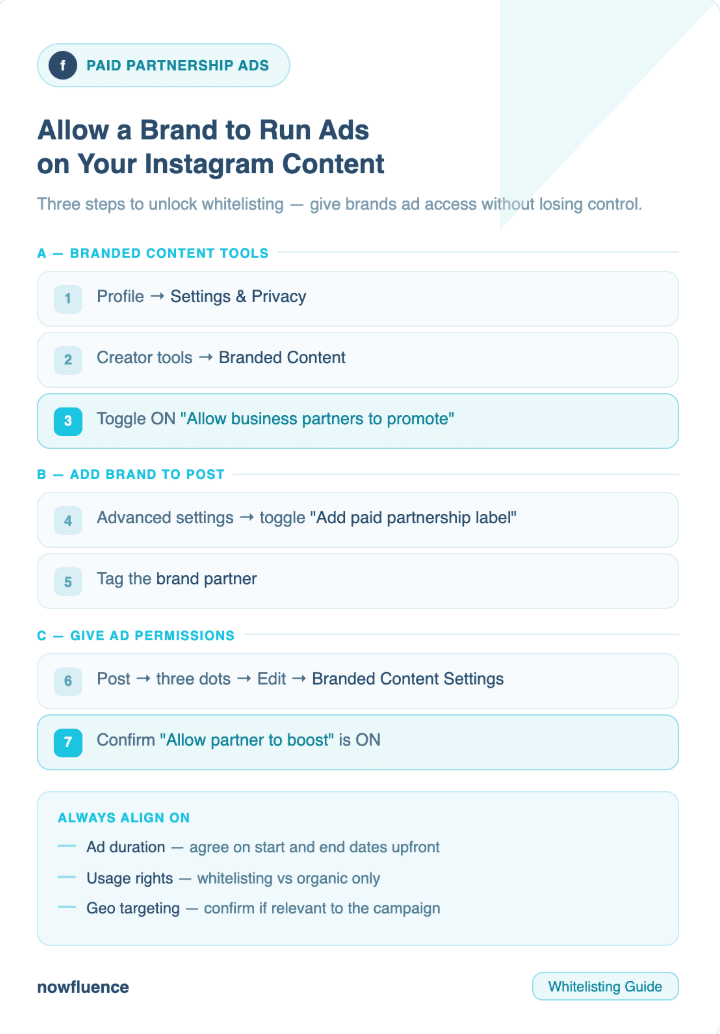
How to Allow a Brand to Run Ads on Your Instagram Content
Paid partnership ads and whitelisting guide for creators
This setup allows brands to promote your content through ads while keeping it under your identity, which often improves trust and performance.
Step by step
- Turn on branded content tools
- Go to your profile
- Tap Settings and privacy
- Go to Creator tools
- Tap Branded content
- Turn on Allow business partners to promote
- Add brand to content
- Create your post or Reel
- Tap Advanced settings before posting
- Turn on Add paid partnership label
- Tag the brand partner
- Give ad permissions
- After posting, go to the post
- Tap the three dots
- Tap Edit
- Go to Branded content settings
- Make sure Allow partner to boost is turned on
Alternative via Meta Business Manager
Some brands may ask for your handle
Confirmation that ad permissions are enabled
They can request access from their side which you will approve
Pro tips for creators
- Always align with the brand on ad duration before sharing access
- Clarify usage rights such as whitelisting, paid ads, or organic only
- Confirm geo targeting if the campaign is location specific
- Agree on creative usage across platforms like TikTok, Instagram, and paid media
Tracking and performance
- TikTok performance is tracked through Spark Ads metrics such as CTR, conversions, and engagement
- Instagram performance is tracked through brand or Meta reporting since ads run from their ad account
Why this matters
- Creator led ads consistently outperform brand only ads in engagement and conversion
- Whitelisting gives brands scalability while keeping your content authentic
- Clear permissions and tracking protect both creators and brands while improving campaign ROI
Want to discuss insights from this study? Reach out to our research team.